> ## Documentation Index
> Fetch the complete documentation index at: https://research.verifyyou.com/llms.txt
> Use this file to discover all available pages before exploring further.

# The respondent experience

> One screen at a time: the click, the scan, the pass, and the gate opening into your study.

<a className="vy-next" href="/any-platform"><span className="vy-next-step">4 of 5</span><span className="vy-next-label">Next: The same mechanism, any platform</span><span className="vy-next-arrow"><Icon icon="arrow-right" iconType="light" size={14} /></span></a>

Four steps, one screen at a time; every screen is the real product unless marked otherwise.

<Steps>
  <Step title="They click your study link">
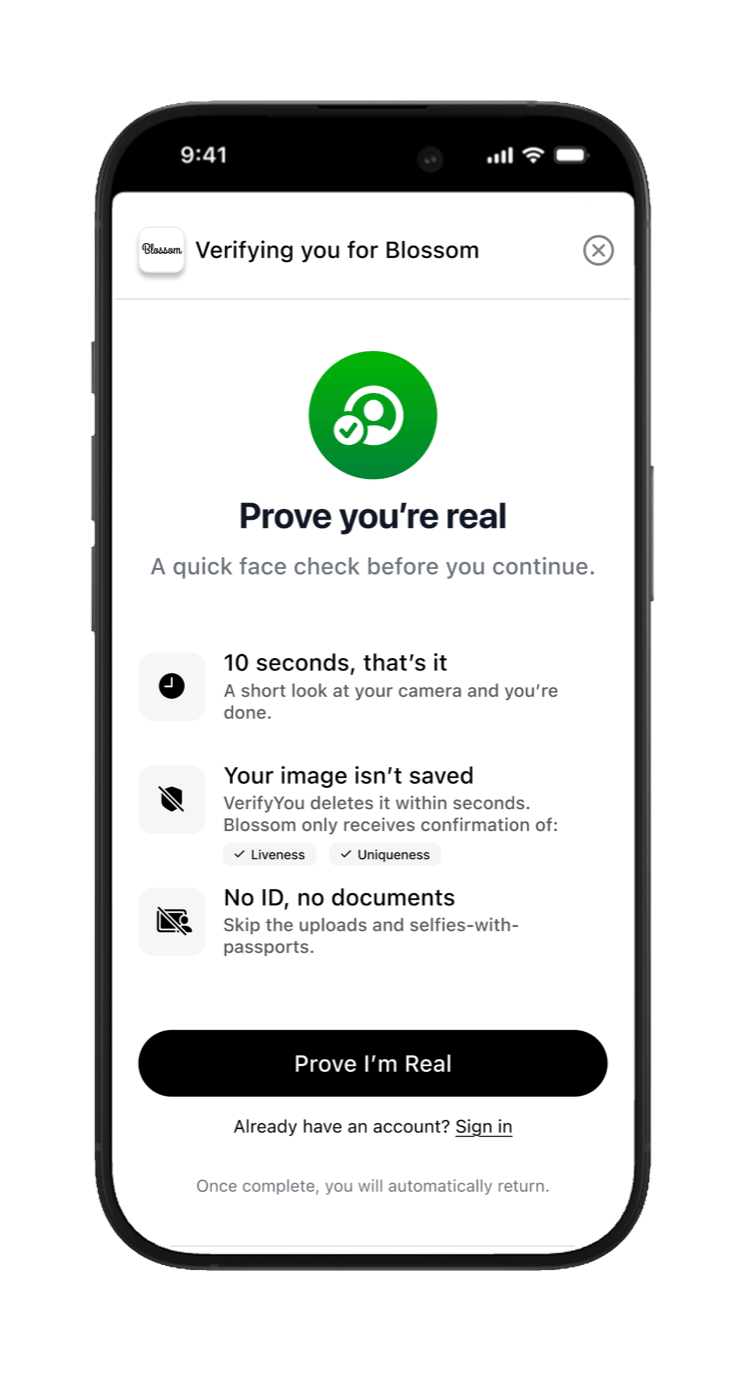
    In Alchemer's invite, your panel, or wherever you recruit. The link opens the check, not your study.

    <Frame caption="Real product. 'Prove you're real. A quick face check before you continue.' One tap.">
      <img className="vy-phone" src="https://mintcdn.com/verify-you-alchemer-flow/bxOGy33bBeLaXW7U/images/screen-arrive.png?fit=max&auto=format&n=bxOGy33bBeLaXW7U&q=85&s=611d8c089411d2eda0003a1b2a687afd" alt="The handoff screen" style={{ maxWidth: '300px' }} width="746" height="1400" data-path="images/screen-arrive.png" />
    </Frame>
  </Step>

  <Step title="They do the scan">
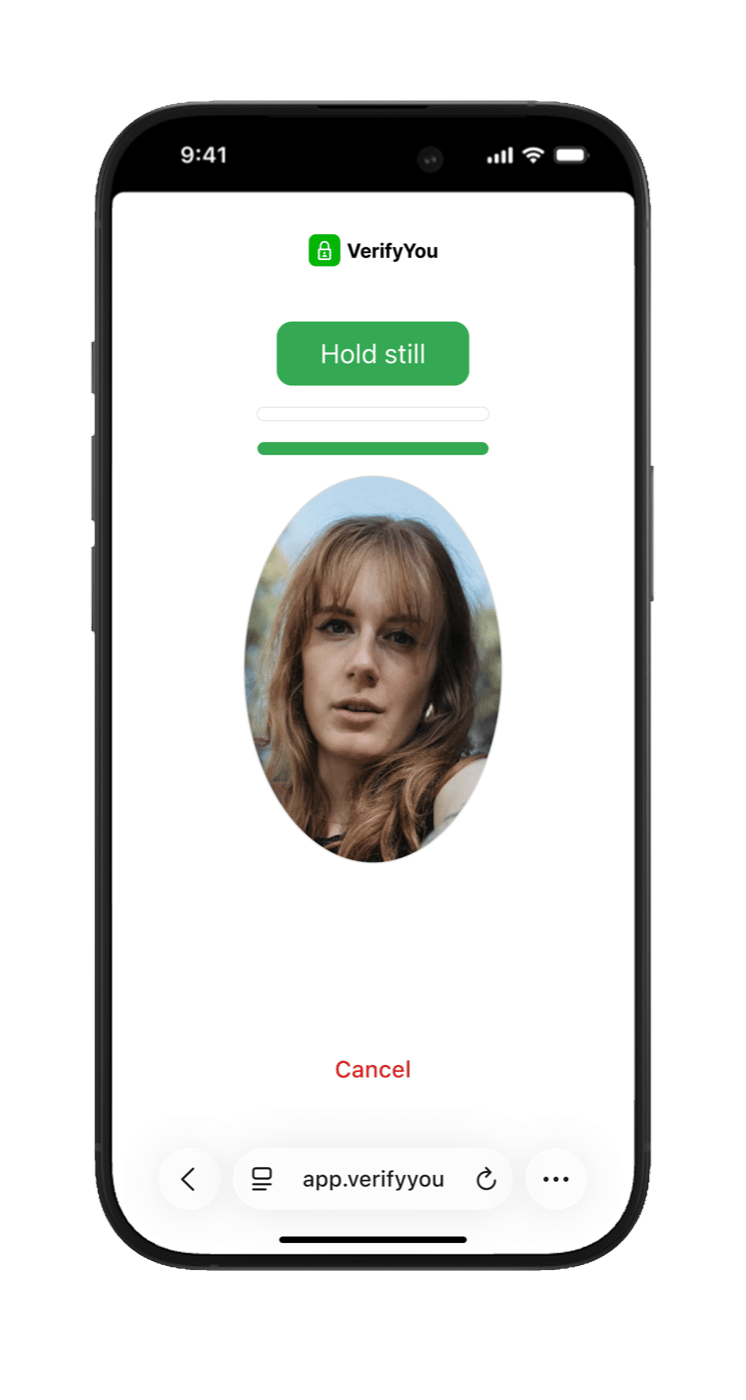
    A few seconds in the camera with live prompts. No photo is shared with you or with Alchemer, only a yes or no.

    <Frame caption="Real product. Live prompts guide them: 'Hold still.'">
      <img className="vy-phone" src="https://mintcdn.com/verify-you-alchemer-flow/bxOGy33bBeLaXW7U/images/screen-scan2.png?fit=max&auto=format&n=bxOGy33bBeLaXW7U&q=85&s=09ba10c8ff2c5f8fa416afd84db655aa" alt="The face scan" style={{ maxWidth: '300px' }} width="746" height="1400" data-path="images/screen-scan2.png" />
    </Frame>
  </Step>

  <Step title="The fork: pass or fail">
    The scan ends one of two ways, and both are instant.

    <div className="vy-fork">
      <span className="vy-fork-top">The scan ends</span>

      <svg className="vy-fork-lines" viewBox="0 0 400 78" fill="none" xmlns="http://www.w3.org/2000/svg" aria-hidden="true">
        <path d="M200 2 v16 C200 52 100 40 100 70" stroke="currentColor" strokeWidth="1.5" />

        <path d="M200 2 v16 C200 52 300 40 300 70" stroke="currentColor" strokeWidth="1.5" />

        <path d="M95 65 L100 74 L105 65" stroke="currentColor" strokeWidth="1.5" strokeLinecap="round" strokeLinejoin="round" />

        <path d="M295 65 L300 74 L305 65" stroke="currentColor" strokeWidth="1.5" strokeLinecap="round" strokeLinejoin="round" />
      </svg>

      <div className="vy-fork-row">
        <span className="vy-fork-pill vy-fork-pass"><span className="vy-fork-ic"><Icon icon="circle-check" iconType="light" size={15} /></span>Pass</span>
        <span className="vy-fork-pill vy-fork-fail"><span className="vy-fork-ic"><Icon icon="circle-xmark" iconType="light" size={15} /></span>Fail</span>
      </div>

      <div className="vy-fork-row vy-fork-t2">
        <div className="vy-fork-lane">
          <svg className="vy-fork-drop" viewBox="0 0 20 40" fill="none" xmlns="http://www.w3.org/2000/svg" aria-hidden="true">
            <path d="M10 2 v28" stroke="currentColor" strokeWidth="1.5" />

            <path d="M5 25 L10 34 L15 25" stroke="currentColor" strokeWidth="1.5" strokeLinecap="round" strokeLinejoin="round" />
          </svg>

          <span className="vy-fork-pill vy-fork-pass">Straight into your study</span>
        </div>

        <div className="vy-fork-lane">
          <svg className="vy-fork-drop" viewBox="0 0 20 40" fill="none" xmlns="http://www.w3.org/2000/svg" aria-hidden="true">
            <path d="M10 2 v22" stroke="currentColor" strokeWidth="1.5" />

            <path d="M4 30 L16 38 M16 30 L4 38" stroke="currentColor" strokeWidth="1.5" strokeLinecap="round" />
          </svg>

          <span className="vy-fork-pill vy-fork-fail">Screened out. Nothing to pay.</span>
        </div>
      </div>
    </div>

    <div className="grid md:grid-cols-2 gap-5 mt-6">
      <div className="border border-gray-200 dark:border-zinc-800 rounded-xl p-6 bg-gray-50 dark:bg-zinc-900">
        <p className="font-semibold text-gray-900 dark:text-zinc-50"><Icon icon="circle-check" iconType="light" size={16} /> They pass</p>

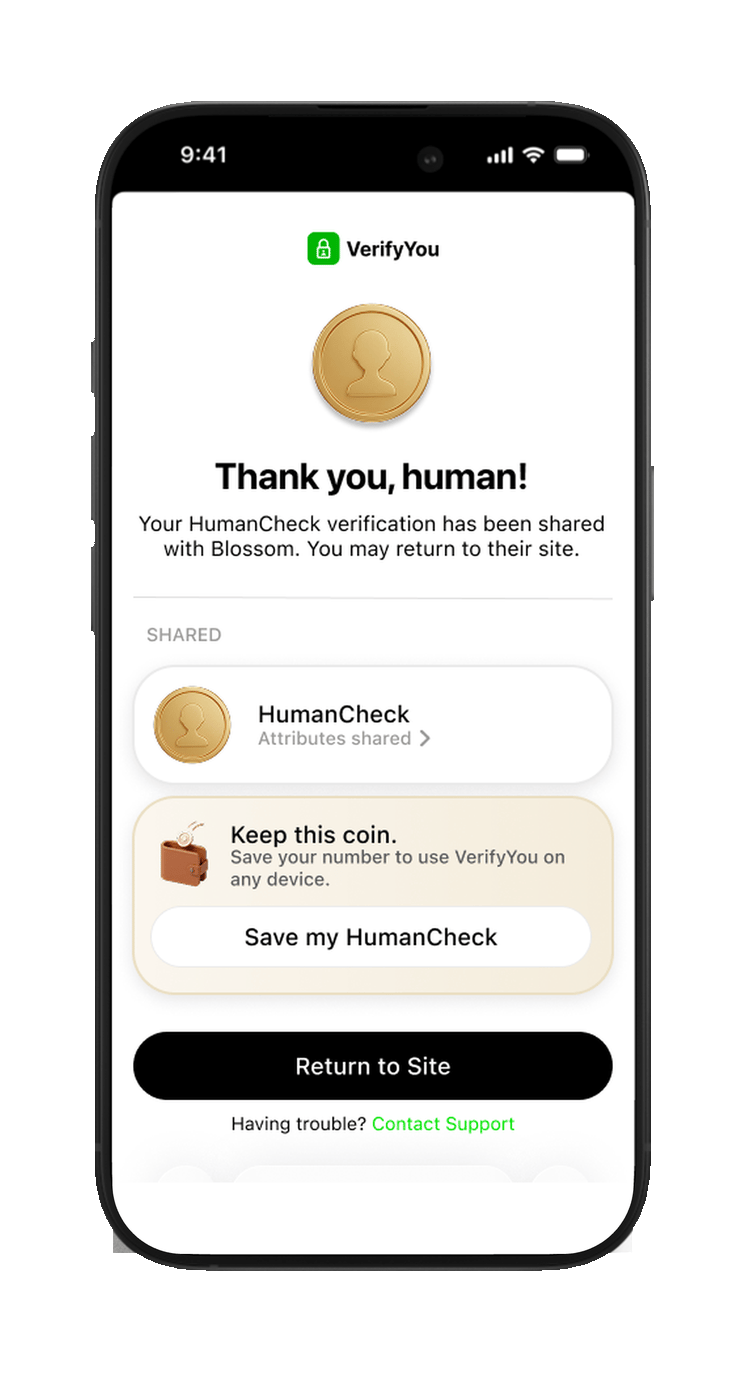
        <img className="vy-phone mt-4" src="https://mintcdn.com/verify-you-alchemer-flow/FaWX449o0lTDc3dM/images/screen-pass-2.png?fit=max&auto=format&n=FaWX449o0lTDc3dM&q=85&s=431cbacd74338681fb0ad34579582129" alt="The success screen" style={{ maxWidth: '260px', margin: '1rem auto 0', display: 'block' }} width="746" height="1400" data-path="images/screen-pass-2.png" />

        <p className="mt-4 text-sm text-gray-500 dark:text-zinc-400">Live and unique. They are sent straight on to your Alchemer login page with their one-time password already filled in, then your questions. <i>(Real product, demo partner brand.)</i></p>

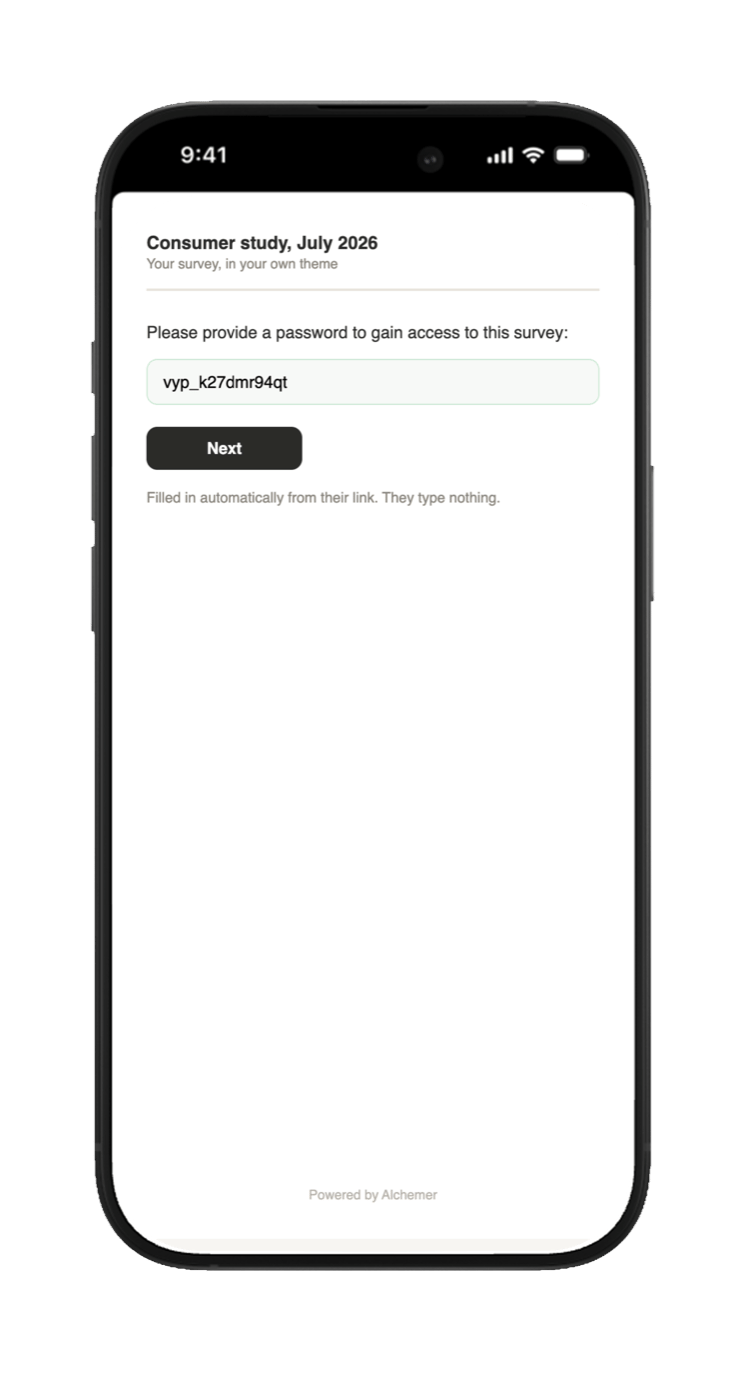
        <img className="vy-phone mt-6" src="https://mintcdn.com/verify-you-alchemer-flow/bxOGy33bBeLaXW7U/images/screen-gate.png?fit=max&auto=format&n=bxOGy33bBeLaXW7U&q=85&s=2f31e2c6669279c5f0234689fd22a97e" alt="Alchemer login page pre-filled" style={{ maxWidth: '260px', margin: '1.5rem auto 0', display: 'block' }} width="746" height="1400" data-path="images/screen-gate.png" />

        <p className="mt-4 text-sm text-gray-500 dark:text-zinc-400">The pass lane continues here: your Alchemer login page, password already in the box. With auto-submit on, they skip this page entirely. <i>(Illustration; the real page inherits your study's theme.)</i></p>
      </div>

      <div className="border border-gray-200 dark:border-zinc-800 rounded-xl p-6 bg-gray-50 dark:bg-zinc-900">
        <p className="font-semibold text-gray-900 dark:text-zinc-50"><Icon icon="circle-xmark" iconType="light" size={16} /> They fail</p>

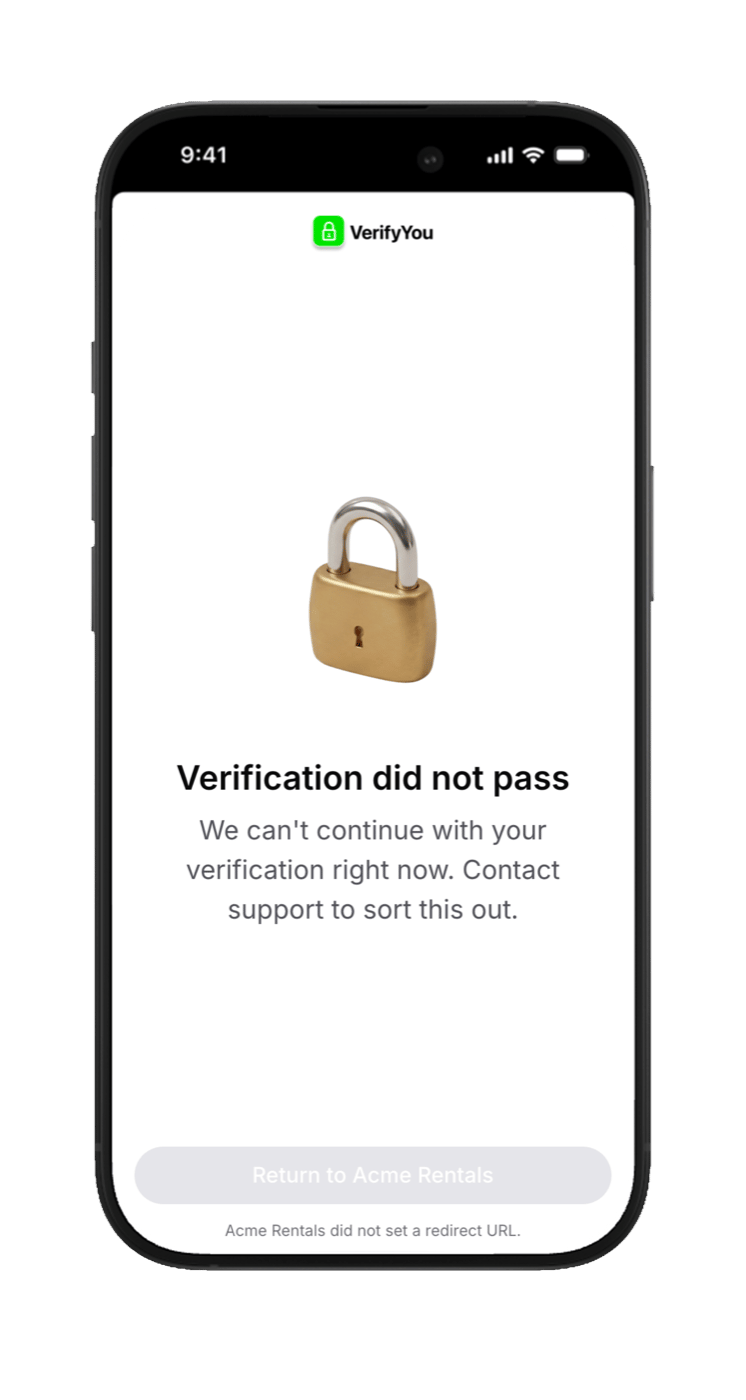
        <img className="vy-phone mt-4" src="https://mintcdn.com/verify-you-alchemer-flow/bxOGy33bBeLaXW7U/images/screen-denied.png?fit=max&auto=format&n=bxOGy33bBeLaXW7U&q=85&s=e748cb46166529fc450da530c5fe7c84" alt="Denied screen" style={{ maxWidth: '260px', margin: '1rem auto 0', display: 'block' }} width="746" height="1400" data-path="images/screen-denied.png" />

        <p className="mt-4 text-sm text-gray-500 dark:text-zinc-400">A duplicate face, a replay, or a bot. No password, no study, no complete, nothing to pay. They are routed to your panel's screen-out, and a new device or browser changes nothing, because the check recognizes the face. <i>(Real product.)</i></p>

        <div className="vy-dead">
          <span className="vy-dead-x">
            <Icon icon="xmark" iconType="light" size={36} />
          </span>
        </div>

        <p className="mt-4 text-sm text-gray-500 dark:text-zinc-400">The fail lane ends here, by design. There is no page after this one.</p>
      </div>
    </div>
  </Step>

  <Step title="When they come back">
    <div className="grid md:grid-cols-2 gap-5 mt-2">
      <div className="border border-gray-200 dark:border-zinc-800 rounded-xl p-6 bg-gray-50 dark:bg-zinc-900">
        <p className="font-semibold text-gray-900 dark:text-zinc-50">Same study: a dead end</p>
        <p className="mt-2 text-sm text-gray-500 dark:text-zinc-400">Their face already earned its one password, and it is spent. One person, one response, permanently.</p>
      </div>

      <div className="border border-gray-200 dark:border-zinc-800 rounded-xl p-6 bg-gray-50 dark:bg-zinc-900">
        <p className="font-semibold text-gray-900 dark:text-zinc-50">Your next study: welcome back</p>
        <p className="mt-2 text-sm text-gray-500 dark:text-zinc-400">Recognized, less friction, and a fresh one-time password for the new study. You are never charged twice for the same human.</p>
      </div>
    </div>
  </Step>
</Steps>

## Keep going

<div className="grid md:grid-cols-2 gap-5 mt-6">
  <a href="/any-platform" className="vy-card bg-gray-50 dark:bg-zinc-900 border border-gray-200 dark:border-zinc-800 text-gray-900 dark:text-zinc-50">
    <span className="vy-card-wm">
      <Icon icon="layer-group" iconType="light" size={250} />
    </span>

    <span className="vy-card-icon">
      <Icon icon="layer-group" iconType="light" size={22} />
    </span>

    <span className="vy-card-title">The same mechanism, any platform</span>
    <span className="vy-card-sub text-gray-500 dark:text-zinc-400">Alchemer today; the pattern fits anywhere.</span>
  </a>

  <a href="/setup" className="vy-card bg-gray-50 dark:bg-zinc-900 border border-gray-200 dark:border-zinc-800 text-gray-900 dark:text-zinc-50">
    <span className="vy-card-wm">
      <Icon icon="sliders" iconType="light" size={250} />
    </span>

    <span className="vy-card-icon">
      <Icon icon="sliders" iconType="light" size={22} />
    </span>

    <span className="vy-card-title">Ready? Alchemer setup</span>
    <span className="vy-card-sub text-gray-500 dark:text-zinc-400">Five steps, no code.</span>
  </a>
</div>